
Sublimation metal sheets are one of the most versatile blanks available for personalised printing. They can be used for photographic panels, signage, plaques, displays, awards, home décor, promotional products and countless other applications.
They're also straightforward to print once you've found the right combination of time, temperature and pressure for your equipment.
In this guide, we'll take you through how to print a sublimation metal sheet using a flat heat press, along with preparation tips, pressing advice and some of the most common problems to avoid.
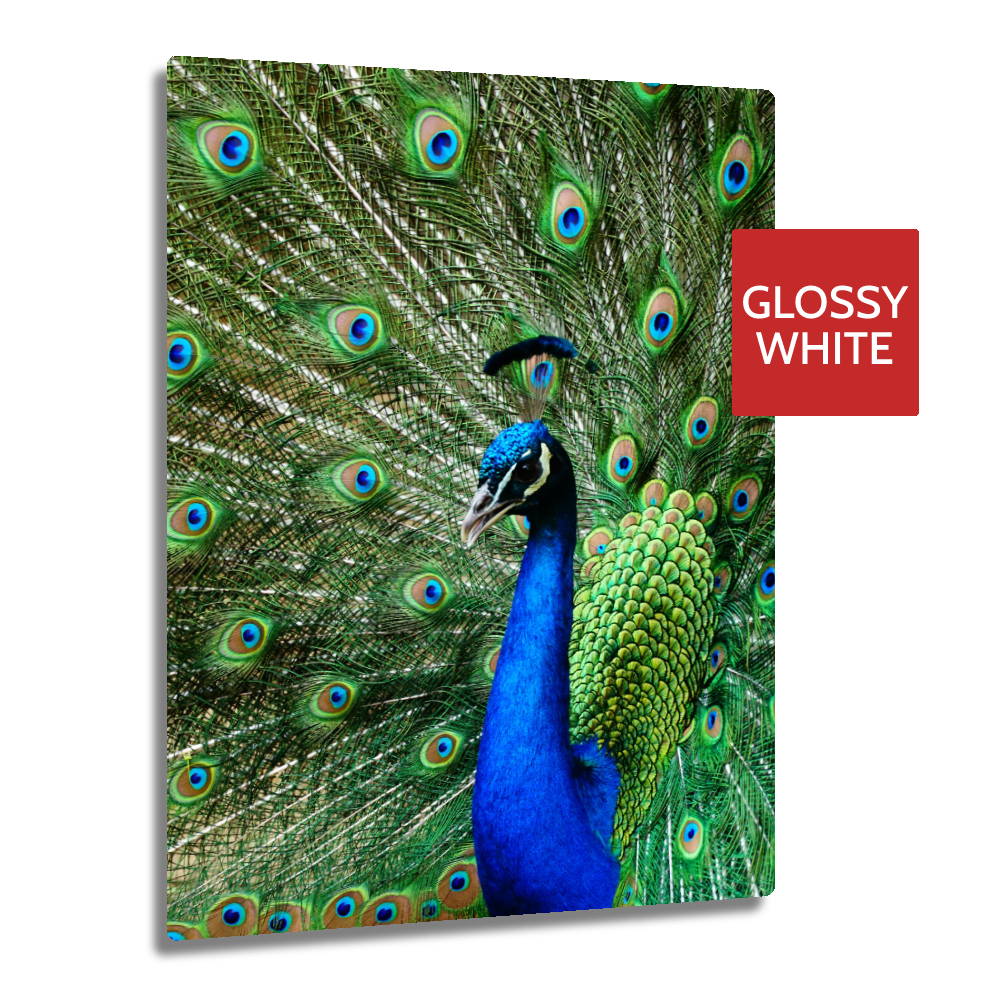
What You'll Need
Before you start, make sure you have:
-
Sublimation metal sheets
-
Sublimation paper
- Sublimation inks and a sublimation printer
- A flat heat press
-
Heat-resistant tape
-
Heat-resistant gloves
- Protective paper or a suitable heat-resistant protective sheet
Make sure the metal sheet you're using is specifically designed for sublimation. Standard aluminium without a sublimation coating will not accept sublimation ink correctly.
Recommended Time, Temperature and Pressure
As a starting point, many sublimation aluminium sheets can be pressed using:
| Setting | Recommended Starting Point |
|---|---|
| Temperature | 170–180°C |
| Time | 60–90 seconds |
| Pressure | Medium |
These figures should be treated as a starting point rather than a fixed recipe. Different coatings, metal thicknesses, heat presses and artwork can all affect the ideal settings, so always check the recommendations for the specific sheet you're using.
Step-by-Step: How to Print a Sublimation Metal Sheet
Step 1 - Create Your Design
Create your artwork using your preferred design software and size it to match the printable area of the metal sheet.
For photographs and detailed graphics, use a high-resolution image to avoid visible pixelation once enlarged. Around 300dpi is ideal where the source artwork allows it.
Allow a small amount of bleed around the edges if you want the design to run completely to the edge of the sheet.
Step 2 - Mirror and Print Your Artwork
Mirror your artwork before printing it onto sublimation paper using sublimation inks.
The transfer should appear reversed on the paper. Once pressed against the metal surface, it will appear the correct way round.
Allow the transfer to dry before handling it.
Step 3 - Remove the Protective Film
Most sublimation metal sheets are supplied with a thin protective film over the printable surface to prevent scratches during manufacturing, storage and transport.
Always remove this film before pressing.
It can sometimes be difficult to see, particularly on white metal sheets, so check carefully around the corners before assuming it has already been removed.
Step 4 - Prepare the Metal Surface
Inspect the printable surface for dust, fingerprints or debris. If necessary, gently wipe the sheet using a clean lint-free cloth.
A clean surface is particularly important with photographic prints and large areas of solid colour, where even a tiny piece of debris can leave a visible mark in the finished image.
Step 5 - Position the Transfer
Place your printed transfer face-down against the sublimation-coated side of the metal sheet.
Secure the transfer using heat-resistant tape so it cannot move when the sheet is placed into or removed from the press.
For larger sheets, use enough tape to keep the transfer firmly in position without covering any part of the printed design.
Step 6 - Press the Metal Sheet Face-Down
Place the metal sheet into the heat press with the printable surface and sublimation transfer facing down, so that the heat is applied through the back of the aluminium.
We generally recommend this approach because indirectly heating the transfer can help reduce scorching or marks on the printable surface.
Press the sheet using the recommended settings for the particular product. For many standard sublimation metal sheets, a useful starting point is approximately 170–180°C for 60–90 seconds at medium pressure.
Step 7 - Remove the Transfer and Allow the Sheet to Cool
Once the pressing cycle is complete, carefully remove the sheet using heat-resistant gloves.
Metal becomes extremely hot during pressing, so never handle the sheet with bare hands immediately after removing it from the heat press.
Remove the sublimation paper carefully and place the finished sheet onto a flat, heat-resistant surface to cool.
Common Problems When Printing Sublimation Metal
The finished print looks faded
Check first that the protective film has been removed. If it has, the sheet may need slightly more time, temperature or pressure.
The image looks blurry or has a shadow
This is usually ghosting caused by the transfer moving during pressing or removal. Secure the transfer firmly with heat-resistant tape and lift it away cleanly after pressing.
Some areas of the print are lighter than others
Uneven heat or pressure is often responsible. Check that the sheet is completely flat and that your heat press is applying consistent pressure across the whole printable area.
The paper or image looks scorched
Your temperature or pressing time may be too high. Pressing the metal with the printable surface facing down can also help reduce direct heat on the transfer.
There are small white marks in the image
Dust or debris may have been trapped between the transfer and metal surface. Clean both surfaces carefully before pressing.
Choosing the Right Sublimation Metal Sheet
Not every metal printing project needs the same type of sheet. The finish, thickness and coating can all affect both the appearance of the finished print and what you can create from it.
Standard Sublimation Metal Sheets
Our standard 0.55mm sublimation metal sheets are a versatile option for signage, photographs, plaques, displays and general personalised products.
The thinner aluminium is also easier to cut and shape using suitable metal cutting tools, making it useful when producing your own smaller blanks or custom formats.
Ultra HD Sublimation Metal
For photographic work and applications where image detail is particularly important, our 1.15mm Ultra HD metal sheets offer a thicker, more premium option.
These are particularly well suited to photographic panels, wall displays and premium printed products where rigidity and image quality are priorities.
Coloured Sublimation Metal Sheets
Sublimation metal doesn't have to be white. Coloured sublimation metal sheets are available in finishes including brushed gold, brushed copper and other metallic effects.
Because the underlying metal finish remains part of the design, these sheets can create a very different result from printing onto a solid white surface.
They work particularly well for signage, awards, decorative products and designs where a metallic background is part of the intended effect.
More Ways to Print and Work With Metal Sheets
Sublimation is only one way to personalise aluminium. We also stock laser engravable metal sheets and UV printable metal sheets for businesses using different production methods.
If you cut or manufacture your own finished products, our metal range also includes metal cutting shears, hole punches, corner cutters mounting accessories and display solutions such as easel backs.
We also carry spare sublimation metal inserts for a variety of products including metal tins and lunchboxes, allowing you to replace inserts or create additional printed pieces without necessarily replacing the complete product.
How to Package Printed Metal Sheets
Printed metal sheets should be protected carefully during storage and shipping because scratches, bent corners and dents can spoil an otherwise perfect print.
For individual sheets, we recommend placing the finished product between two rigid pieces of cardboard before using suitable outer packaging.
For larger or multiple sheets, additional foam or cardboard corner protectors can help prevent edge and corner damage during transit.
Explore Our Metal Printing Range
Whether you're creating photographic panels, signage, personalised gifts, awards or your own custom blanks, our metal sheets range includes options for sublimation, UV printing and laser engraving alongside the tools and accessories needed to cut, mount and finish them.